task-manager-django
Task Manager
A shared to-do list in the browser: sign up, add tasks with due dates, and hand one to a colleague. When a task is shared with you or changes status, you see it straight away, with no page refresh. Built during an internship; the fix worth showing is a security one: anyone could change the status of anyone else's task without logging in, until an ownership check was added.
Built by Salman Adnan during a Developers Hub internship.
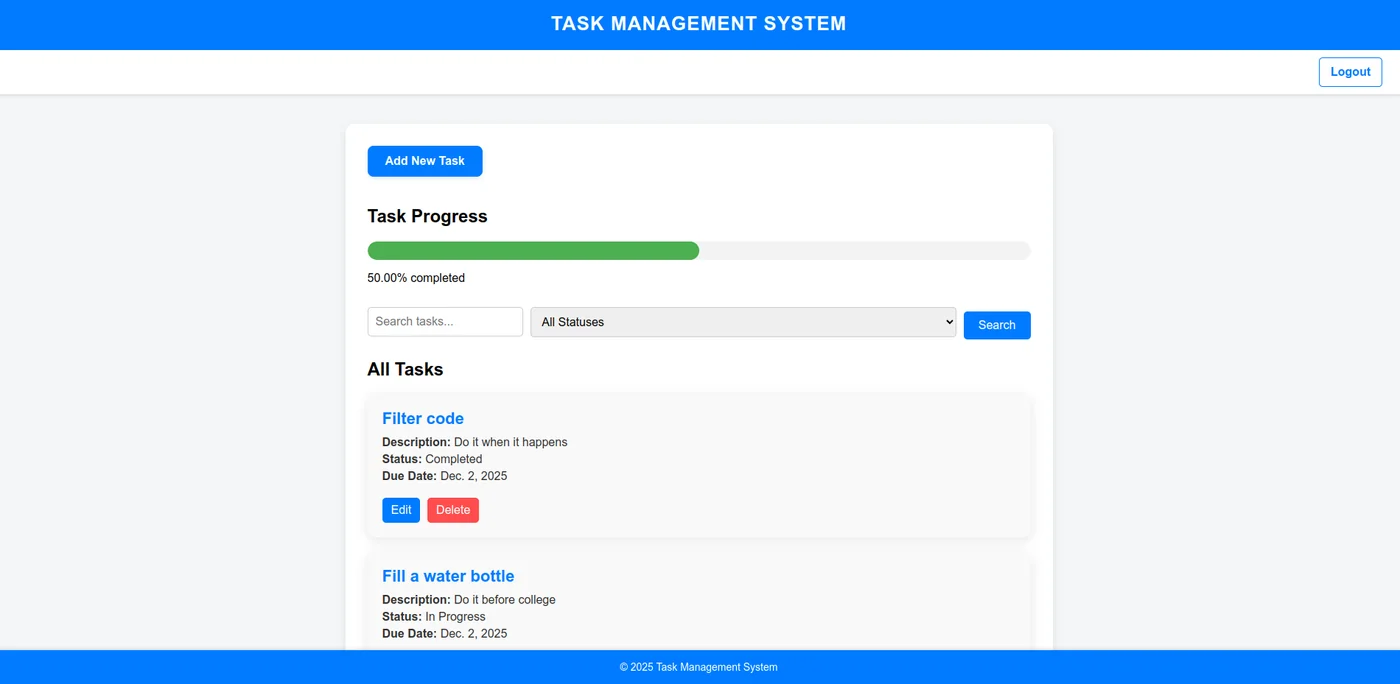
Overview
A web-based task manager built with Django where users register, manage and share tasks, and receive real-time WebSocket notifications when tasks are assigned or updated.
Key features
- Task CRUD with status, due date, search, filtering, and a progress bar.
- Task sharing: the owner grants or revokes access by username, and shared users can update status.
- Real-time notifications via Django Channels and Redis, plus a persistent notifications page.
- A dashboard with completion rate, overdue count, and a matplotlib status pie chart rendered server-side.
- A ProtocolTypeRouter so HTTP and WebSocket traffic share one Daphne server.
Results
22 tests cover registration, login, access control on views, task CRUD, past-due-date validation, search and filter, sharing permissions (non-owners get 403), and notification listing. Checked end to end against a local Redis 8.