color-palette-generator
Color Palette Generator
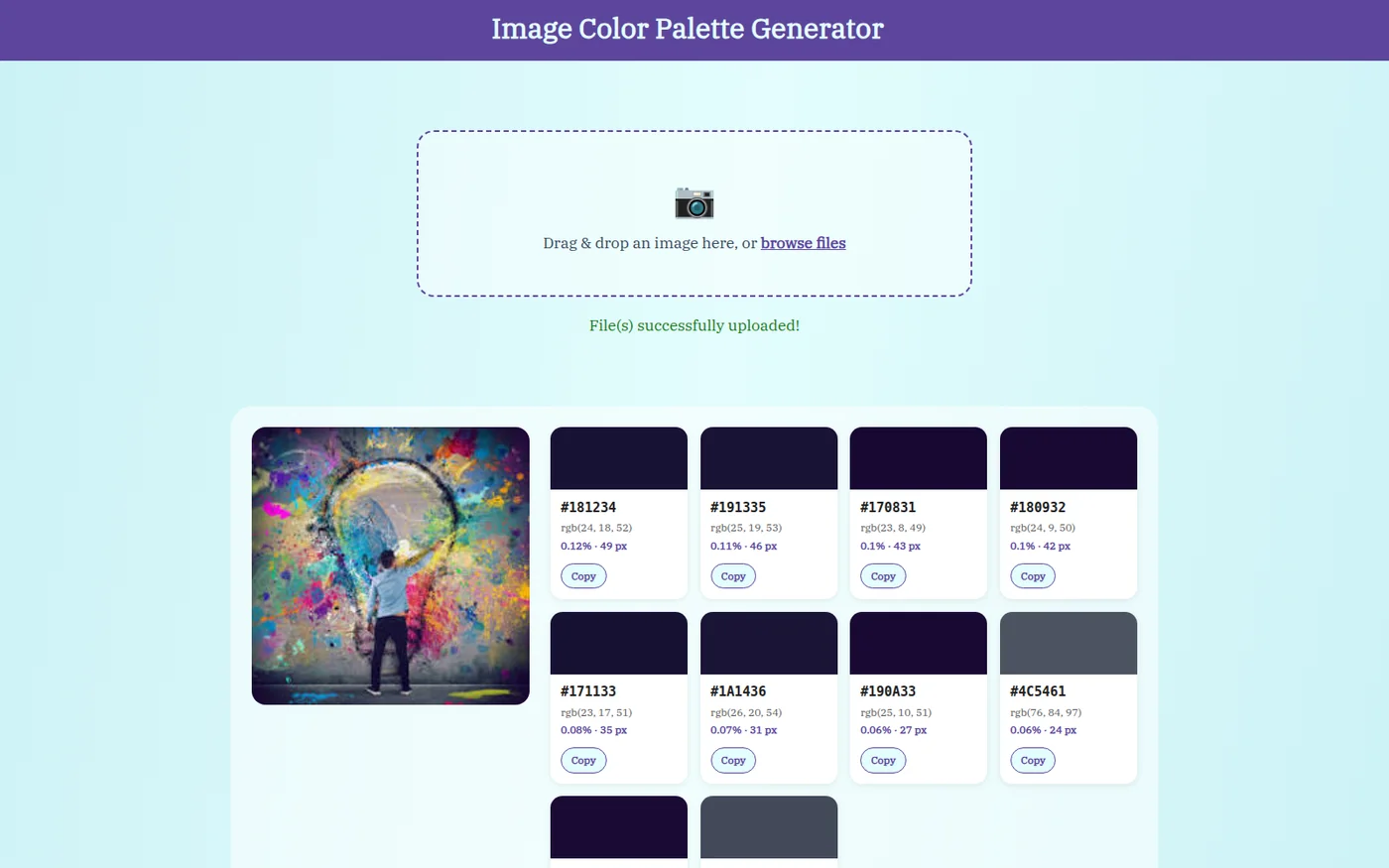
Drop in a picture and this web app shows you the ten colors that cover the most of it, what share each one takes, and the exact code for each so you can copy it into a design. Useful when you are picking colors for a site or a poster to match a photo you already like. Nothing is sent to an outside service and nothing is stored.
Solo work by Salman Adnan.
Overview
A Flask web app that extracts the dominant colors from an uploaded image and renders them as a set of swatch cards (hex, RGB, share of the image) next to a preview of the source image. It computes the 10 most frequent exact RGB values with numpy.unique, with no database, no external API calls, and no state shared between visitors.
Key features
- Drag-and-drop upload zone plus a native file picker fallback, both showing a live preview before the image is sent.
- Computes the 10 most frequent exact RGB values per image with
numpy.unique, along with each color's pixel count and percentage share. - Each color renders as a swatch card: colored block, hex code, RGB tuple, percentage/pixel count, and a "Copy hex" button using
navigator.clipboard.writeText. - Swatches are sorted by frequency, highest share first, so the grid reads like an actual palette.
- A loading overlay covers processing round trips, and flash messages cover empty submissions and successful uploads.
Verification
The POST /result route computes each request's own swatches and passes them straight into the template context, with no module-level results list. Verified by uploading two different synthetic images back-to-back against a running server and confirming the second response's HTML contained only the second image's hex codes, with no trace of the first, and that GET / always renders the empty state rather than accumulated history. The trade-off: results aren't persisted, so refreshing the results page re-submits the form instead of re-showing the same palette.